Showing posts with label blackberry. Show all posts

BlackBerry Bold 9780 Now Available, Nothing to Set It Apart From Currently Available BlackBerries

The BlackBerry Bold 9780 is now officially available on T-Mobile’s network. The Bold 9780 is T-Mobile’s newest and best BlackBerry device, although there aren’t many changes in terms of design. The BlackBerry Bold 9780 features a 2.44 inch display with a resolution of 480x360, a full QWERTY keyboard, the same one that has been on BlackBerrys for ages, aGPS, WiFi 802.11g with UMA, HSDPA 3G connectivity, and a 5 megapixel camera with autofocus, flash, and video recording. In terms of storage the Bold 9780 features 256 MB of internal storage, which is expandable to up to 32 GB via a microSD card slot, a 2 GB microSD card is also included in the box. The BlackBerry Bold 9780 also features Bluetooth 2.1 connectivity, a 3.5 mm headphone jack, and a microUSB port. Performance is expected to be pretty good with a 624 MHz processor and 512 MB of RAM. The new BlackBerry Bold 9780 also features RIM’s new BlackBerry OS 6. As for battery life, the Bold 9780 comes with a 1500 mAh battery that will give you up to 528 hours of standby time on 2G networks and up to 408 hours on 3G networks and up to 6 hours of talk time on both 2G and 3G networks. Overall, there aren’t any features that distinguish the BlackBerry Bold 9780 from any other BlackBerries that are currently available, but it is still a great addition to T-Mobile’s product line. Press release below.


RIM Introduces the New BlackBerry Bold 9780 Smartphone

WATERLOO, ONTARIO, Oct 27, 2010 (MARKETWIRE via COMTEX) 

Research In Motion (RIM today introduced the BlackBerry(R) Bold(TM) 9780 smartphone - the newest addition to the BlackBerry Bold series of smartphones. Featuring a premium and iconic design with an incredibly easy-to-use keyboard and optical trackpad, the BlackBerry Bold 9780 is elegantly styled and packed with advanced communications and multimedia features. It is also the first BlackBerry Bold smartphone to come with the new BlackBerry(R) 6 operating system.

"We are very excited to introduce the BlackBerry Bold 9780 featuring the new BlackBerry 6 operating system," said Carlo Chiarello, Vice President, Product Management at Research In Motion. "This new model builds on the highly refined mobile experience that BlackBerry Bold users already know and love and delivers a wide range of enhancements including a rich new user interface, a fast and powerful WebKit-based browser, broadly improved communications and multimedia capabilities, an incredibly useful Universal Search feature and a high quality 5MP camera."

The BlackBerry Bold 9780 is a compact and stylish smartphone that offers a compelling blend of features, performance and design. It supports 3G networks around the world, includes Wi-Fi(R) with support for carrier supported Wi-Fi calling (UMA where available) and GPS for location-based applications and geo-tagging. It comes with a 5 MP camera with a full complement of high-end features including continuous auto focus, scene modes, image stabilization, flash and video recording. The BlackBerry Bold 9780 also includes 512 MB Flash memory and an expandable memory card slot that supports up to 32 GB of additional storage.

BlackBerry 6 is a new operating system that retains the familiar and trusted features that distinguish the BlackBerry brand while delivering a fresh, approachable and engaging experience that's powerful and easy to use. It integrates a new and rich WebKit-based browser that renders HTML web pages quickly and beautifully for a great browsing experience. The browser offers fluid navigation using the handset's optical trackpad, includes tabs for accessing multiple sites simultaneously and provides a zoom feature that can intelligently auto-wrap text in a column while maintaining the placement of a page's key elements for easier viewing.

Additional features of BlackBerry 6 include expanded messaging capabilities with intuitive features to simplify the management of social networking and RSS feeds (Social Feeds), and integrated access to BBM(TM) (BlackBerry(R) Messenger), Facebook(R), Twitter(TM), MySpace(TM) and various instant messaging applications on the BlackBerry Bold 9780 smartphone. Its enhanced multimedia experience rivals the best in the industry and includes a dedicated YouTube app. It also features redesigned Music and Pictures applications and a new universal search feature that allows users to more effectively search for content on the smartphone as well as extend their search to the Internet or to discover applications on BlackBerry(R) App World(TM).

The BlackBerry Bold 9780 smartphone will be available from various carriers around the world beginning in November. For more information, please visit www.blackberry.com/bold.

BlackBerry PlayBook Getting a 64 GB Version and A Huge 5,300 mAh Battery

You probably already know most of the specifications of the BlackBerry PlayBook from our previous post, but some new specifications have just been revealed. Aside from the 16 and 32 GB versions that were previously reported there will also be a 64 GB version of the BlackBerry PlayBook. Another amazing feature that has just been announced is that the PlayBook will feature a 5,300 mAh battery, which is amazing for a laptop, let alone a tablet. We imagine that this will give the PlayBook over a day of battery life. This will probably give the BlackBerry PlayBook a huge advantage over competitors like the iPad. There is still no information about pricing or a release date, though. Aside from these new specifications there is also a video of the tablet in action below.

RIM Introduces The New BlackBerry PlayBook, Looks Promising


RIM has just introduced the BlackBerry PlayBook, the long awaited BlackBerry Tablet. Most of the specifications of the PlayBook have been revieled but RIM hasn't given much pricing or availability information. Now, for the part you've all been waiting for, the specifications. The BlackBerry PlayBook features a 7 inch 1024x600 capacitive multitouch touchscreen display, a dual core 1 GHz CPU, which is extremely fast, 1 GB of RAM, a 3 megapixel front-facing camera, and a 5 megapixel rear camera. Video conferencing will also be available on the PlayBook, and it should be great with a 7 inch screen and a 3 megapixel camera. The BlackBerry PlayBook also features 802.11n WiFi , Bluetooth 2.1, a micro USB port, and reported storage capacities of 16 GB and 32 GB. The storage capacities still haven't been confirmed yet, but they probably will be soon. The PlayBook will also support full 1080p HD video playback, which isn't really surprising with the dual-core 1GHz CPU. In terms of size the PlayBook is pretty small and light, at just 5.1x7.6 inches and just 0.4 inches thick. The PlayBook also weighs just 0.9 pounds. The OS on the BlackBerry PlayBook is a totally new one, created by RIM's recently aquired QNX, who created the OS, called the BlackBerry Tablet OS. The OS is reported to support Flash 10.1 and Adobe AIR applications. Multitasking will also be supported. RIM has also described the device as the first professional tablet. There is no word on an exact release date or pricing but RIM has said that the BlackBerry PlayBook will be available sometime in early 2011. RIM has also said that they intend to offer 3G and 4G models in the future, but no further details have been released about those versions. As of right now, The BlackBerry PlayBook sounds pretty promising, but I guess we'll have to wait and see. Below is the full press release, a video of the BlackBerry PlayBook in action, and some more images.

BlackBerry PlayBook Preview


Press Release


"New Professional-Grade Tablet Delivers Unmatched Power and Web Performance
San Francisco, CA – BlackBerry DEVCON 2010 - Research In Motion (RIM) (NASDAQ: RIMM; TSX: RIM) today redefined the possibilities for mobile computing with the unveiling of its new professional-grade BlackBerry® PlayBook™ tablet and BlackBerry® Tablet OS.
Perfect for either large organizations or an “army of one”, the BlackBerry PlayBook is designed to give users what they want, including uncompromised web browsing, true multitasking and high performance multimedia, while also providing advanced security features, out-of-the-box enterprise support and a breakthrough development platform for IT departments and developers. The incredibly powerful and innovative BlackBerry PlayBook is truly a game-changing product in the growing tablet marketplace.
“RIM set out to engineer the best professional-grade tablet in the industry with cutting-edge hardware features and one of the world's most robust and flexible operating systems,” said Mike Lazaridis, President and Co-CEO at Research In Motion. “The BlackBerry PlayBook solidly hits the mark with industry leading power, true multitasking, uncompromised web browsing and high performance multimedia.”
The Tablet You'll Want to Take Everywhere
This beautifully designed and incredibly powerful tablet is ultra portable, ultra thin and super convenient for both work and play. Measuring less than half an inch thick and weighing less than a pound, the BlackBerry PlayBook features a vivid 7” high resolution display that looks and feels great in your hand. With such a unique mix of utility, performance and portability, you’ll want to take it everywhere.
The New Benchmark in Tablet Performance
At its heart, the BlackBerry PlayBook is a multitasking powerhouse. Its groundbreaking performance is jointly fueled by a 1 GHz dual-core processor and the new BlackBerry Tablet OS which supports true symmetric multiprocessing. Together, the abundant processing power and highly sophisticated OS enable the BlackBerry PlayBook to provide users with true multitasking and a highly-responsive and fluid touch screen experience for apps and content services.
Uncompromised Web BrowsingWith support for Adobe® Flash® Player 10.1, Adobe® Mobile AIR® and HTML-5, the BlackBerry PlayBook provides customers with an uncompromised, high-fidelity web experience and offers them the ability to enjoy all of the sites, games and media on the web. For more than a decade, the mobile industry has worked to bridge the gap between the “real web” and mobile devices through various apps and technologies and, in fact, a significant number of mobile apps today still simply serve as a proxy for web content that already exists on the web. The BlackBerry PlayBook closes that gap and brings the real, full web experience to mobile users while also opening new and more exciting opportunities for developers and content publishers.
High Performance Multimedia
The BlackBerry PlayBook features premium multimedia features to support high-quality mobile experiences. It includes dual HD cameras for video capture and video conferencing that can both record HD video at the same time, and an HDMI-out port for presenting one's creations on external displays. The BlackBerry PlayBook also offers rich stereo sound and a media player that rivals the best in the industry. 
BlackBerry IntegrationFor those BlackBerry PlayBook users who carry a BlackBerry smartphone*, it will also be possible to pair their tablet and smartphone using a secure Bluetooth® connection. This means they can opt to use the larger tablet display to seamlessly and securely view any of the email, BBM™, calendar, tasks, documents and other content that resides on (or is accessible through) their smartphone. They can also use their tablet and smartphone interchangeably without worrying about syncing or duplicating data. This secure integration of BlackBerry tablets and smartphones is a particularly useful feature for those business users who want to leave their laptop behind.
Enterprise Ready 
Thanks to the seamless and secure Bluetooth pairing experience and the highly secure underlying OS architecture, the BlackBerry PlayBook is enterprise ready and compatible (out-of-the-box) with BlackBerry® Enterprise Server. When connected over Bluetooth, the smartphone content is viewable on the tablet, but the content actually remains stored on the BlackBerry smartphone and is only temporarily cached on the tablet (and subject to IT policy controls). With this approach to information security, IT departments can deploy the BlackBerry PlayBook to employees out-of-the-box without worrying about all the security and manageability issues that arise when corporate data is stored on yet another device.

QNX Neutrino Reliability 

The BlackBerry Tablet OS is built upon the QNX® Neutrino® microkernel architecture, one of the most reliable, secure and robust operating system architectures in the world. Neutrino has been field hardened for years and is being used to support mission-critical applications in everything from planes, trains and automobiles to medical equipment and the largest core routers that run the Internet.  The new BlackBerry Tablet OS leverages and builds upon the many proven strengths of this QNX Neutrino architecture to support a professional grade tablet experience and to redefine the possibilities for mobile computing.
An OS Built for Developers The Neutrino based microkernel architecture in the BlackBerry Tablet OS delivers exceptional performance, high scalability, Common Criteria EAL 4+ security, and support for industry standard tools that are already familiar to hundreds of thousands of developers.  The OS is fully POSIX compliant enabling easy portability of C-based code, supports Open GL for 2D and 3D graphics intensive applications like gaming, and will run applications built in Adobe Mobile AIR as well as the new BlackBerry® WebWorks™ app platform announced today (which will allow apps to be written to run on BlackBerry PlayBook tablets as well as BlackBerry smartphones with BlackBerry® 6). The BlackBerry Tablet OS will also support Java enabling developers to easily bring their existing BlackBerry 6 Java applications to the BlackBerry Tablet OS environment.

Key features and specifications of the BlackBerry PlayBook include:
• 7” LCD, 1024 x 600, WSVGA, capacitive touch screen with full multi-touch and gesture support
• BlackBerry Tablet OS with support for symmetric multiprocessing
• 1 GHz dual-core processor
• 1 GB RAM
• Dual HD cameras (3 MP front facing, 5 MP rear facing), supports 1080p HD video recording 
• Video playback: 1080p HD Video, H.264, MPEG, DivX, WMV
• Audio playback: MP3, AAC, WMA
• HDMI video output
• Wi-Fi - 802.11 a/b/g/n
• Bluetooth 2.1 + EDR
• Connectors: microHDMI, microUSB, charging contacts
• Open, flexible application platform with support for WebKit/HTML-5, Adobe Flash Player 10.1, Adobe Mobile AIR, Adobe Reader, POSIX, OpenGL, Java
• Ultra thin and portable:
o Measures 5.1”x7.6”x0.4” (130mm x 193mm x 10mm)
o Weighs less than a pound (approximately 0.9 lb or 400g)
• Additional features and specifications of the BlackBerry PlayBook will be shared on or before the date this product is launched in retail outlets.
• RIM intends to also offer 3G and 4G models in the future.

Availability
The BlackBerry PlayBook is expected to be available in retail outlets and other channels in the United States in early 2011 with rollouts in other international markets beginning in (calendar) Q2.
RIM will begin working with developers and select corporate customers next month to begin development and early testing efforts.
The BlackBerry Tablet OS SDK is planned for release in the coming weeks and developers can register for early access at www.blackberry.com/developers/tabletos.

For more information, visit www.blackberry.com/playbook."

Images


BlackBerry Curve 8530 Review, Mid-range Smartphone with Great Features


The BlackBerry Curve 8530 is the CDMA version of the GSM BlackBerry Curve 8520. In terms of features the Curve 8530 has a few differences from the Curve 8520, but these few are pretty big. The BlackBerry Curve 8530 is currently available on a couple of US carriers including Sprint, Verizon, and Virgin Mobile USA. We have the Virgin Mobile USA model, but they are all pretty much the same except for the software that comes pre-loaded on the phone. The Virgin Mobile version comes in black and is available for $300 with no long-term contract, as Virgin Mobile USA is a prepaid carrier. The Sprint version is available in ruby red, black, and royal purple for $50 with a two year contract, and the Verizon version is available in black and smoky violet for $20 with a two year contract. In case some of you aren’t familiar with Virgin Mobile USA, it is a prepaid brand of Sprint, so you will get the same coverage and reliability as Sprint. Virgin Mobile USA also offers some of the cheapest BlackBerry and regular plans available. For $25 a month you get unlimited data, text, email, and web, plus 300 minutes. For $40 a month you get the same, but with 1200 minutes. The last plan available is $60 a month, and you get unlimited talk, text, email, web, and data, which is pretty much everything. These are the plans available for regular phones, and for BlackBerrys all you have to do is add $10 to the cost of the plan. This makes the cheapest BlackBerry plan available just $35 a month. Another plus is that you don’t have to sign a long-term contract. Unfortunately, that means that you will have to pay full price for your phone. Now, back to our review of the BlackBerry Curve 8530. The Curve 8530 has all the specifications you could ask for including a 2.5 inch LCD display with a resolution of 320x240, a 2 megapixel camera with 5x digital zoom and video recording, Bluetooth 2.1, WiFi 802.11g, 3G data with EV-DO Rev. 0, aGPS support, 256 MB of built-in memory, SDHC card support for expanding your storage, and, of course, a full QWERTY keyboard.


In the Box


The box of the BlackBerry Curve 8530 on Virgin Mobile is kind of strange, and doesn’t look like that of most BlackBerry devices. It is made of clear plastic, not the usual cardboard, and it actually looks pretty cool. In the box you will get a charging cable, a data cable for connecting to your computer, a wired headset, some manuals and guides, a BlackBerry software CD, the battery, and, of course, the BlackBerry Curve 8530.


Design


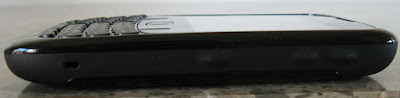
The design of the Curve 8530 is very fashion-forward and seems to be aimed at the younger consumer audience. Instead of the chrome bezel that you will find on most BlackBerrys you will find that the sides of the device are rubber coated and that the keys are embedded in the rubber and seem to bulge out of the sides. The front of the Curve 8530 is glossy plastic, and on the back you will find the glossy plastic battery cover and rubber around it. As for keys, on the front you will find a full QWERTY keyboard and a few other elements. They keyboard on the Curve 8530 is a little smaller than that on some other BlackBerry’s and at first it is a little hard to use, but it is easy to get used to and once you do the keyboard is great. The thing that will probably stand out most to long-time BlackBerry users is that instead of the usual trackball there is a trackpad, which is a little bit like a laptop trackpad, but smaller. Overall the trackpad is a huge improvement over the usual trackball. It doesn’t get dirty or stuck, and it is fairly easy to use. It also functions as an enter key. At first using the trackpad was a little difficult, but I soon got used to it, and I am certain that most users will get used to the trackpad pretty fast. On both sides of the trackpad you will find four keys including the answer key, the BlackBerry key, the back button, and the end call button. Since these keys don’t stick out and are laid flat onto the outside of the phone they seem a little like touch–sensitive keys, but they are not, they are just regular keys that you press. There is also a speaker and notification light on the front of the device. On the right side of the BlackBerry Curve 8530 you will find the volume keys and a dedicated camera key. You are able to change the camera key to something else. On the top you will find 3 media keys that are level with outside of the device. You can use them to skip forward or back, pause, or play media. The pause/play key can also be used to mute calls. The top of the device also houses an addition speaker. On the left side of the Curve 8530 you will find a convenience key that is set to voice dialing by default, but can also be changed. You will also find a micro USB data and charging port on the left side of the phone, as well as a 3.5mm headphone jack, which is a great addition for listening to music of playing back any kind of media. On the bottom of the device you will find the microphone. The back of the device has the 2MP camera and the battery cover, which is the same as the one on the BlackBerry Curve 8520. The battery covers on all of the Blackberry Curve 8530 devices are the same, except for the Verizon version, on which the battery cover is made of carbon fiber instead of glossy plastic. I have to say that the front of the device and the battery cover are fingerprint magnets. The Curve 8530 is also very easy to grip and the build quality is great, it doesn’t feel cheap at all. The device is also very light at just 3.70 oz (105 g) and the size is great at 4.29x2.36x0.55 inches. This makes the Curve 8530 fit into pockets easily and it also feels nice when you are holding it in your hand. Below are images of the BlackBerry Curve 8530 from all angles.


Front
Side

Top

Side
Bottom

Back

Camera


The camera on the BlackBerry Curve 8530 has fairly good performance for a smartphone camera. It is great for snapping an occasional photo or video, but it probably won’t suffice as your main camera. The Curve 8530 features a 2 megapixel camera with fixed focus, 5x digital zoom, and the ability to record up to QVGA video at 320x240. Unfortunately, the camera on the BlackBerry Curve 8530 lacks a flash. Camera performance in low-light was still okay, but RIM has taken a step back by not adding a flash to the 8530. The camera performance on the 8530 was amazing for a 2 megapixel camera. Image quality was great and images were only a little grainy. Low-light performance was also pretty good, despite the lack of a flash. Videos were also pretty good. The video quality is great if watched on the phone or in windowed mode on a computer, but if you try to play the video full screen on a 15.6 inch screen the quality gets reduced dramatically. Overall, the camera on the Curve 8530 is great, but if you compare it to some if today’s newer smartphones and BlackBerry devices with higher megapixel counts, it starts to look worse. If you only use your BlackBerry Curve 8530’s camera occasionally you’ll be fine. Below you will find photos and a video taken with the Curve 8530’s camera.


Connectivity


The BlackBerry Curve 8530 has pretty much all the types of connectivity you could ask for, including WiFi 802.11g, assisted GPS, 3G connectivity with EV-DO rev.0, Bluetooth 2.1, and a micro USB port for connectivity to your computer. WiFi on the Curve 8530 is certainly a great addition for access to a faster network than 3G or just connectivity where there is no cell phone coverage. The range on the device is great, and the connection stays steady if you don’t go too far away. WiFi 802.11n would have been much better than 802.11g, but for this price point we’ll take what we can get. Assisted GPS was also a great addition to the device. GPS is another feature on the BlackBerry Curve 8530 that the 8520 did not get. We were able to get a GPS fix on the Curve 8530 in just about 5 seconds, which is amazing. That is, of course, with assistance. In case you don’t know what the assistance part of assisted GPS is, it is when the phone requests data from the cellular network to find its general location and information from actual GPS satellites so that the phone can get a faster fix. The GPS on the Curve 8530 was also amazingly accurate, and found our location exactly. 3G connectivity with EV-DO rev.0 is also a welcome addition the BlackBerry Curve 8530, and it is also another way in which the Curve 8530 differs from its GSM partner, the Curve 8520, which does not have 3G. The 3G experience that we got while using the device was pretty good. Most web pages loaded pretty fast and other tasks over 3G such as maps, YouTube, Pandora, and more were also fast. To see what kind of speeds we were actually getting on our Curve 8530, we decided to do a few speed tests. Below you will see images of the three speed tests that we did. The average download speed of all three tests was 583 Kb/s. The average upload speed was 87 Kb/s. This is actually pretty fast, but not faster than your home broadband or some of your faster mobile devices would be. The only drawback of the BlackBerry Curve 8530’s 3G connectivity is that it is only EV-DO rev.0, not rev.A, which is seen on most 3G CDMA devices these days and is a bit faster. Still, the Curve 8530 gets pretty good 3G speeds, especially since those tests were on 2-3 bars of connectivity. Usually we were able to get at least three bars of connectivity, and there were no dead zones on Virgin Mobile USA’s (Sprint’s) network. The Bluetooth on the Curve 8530 is great for sending small files in between your computer and your BlackBerry and for using hands free peripherals, but other than that I can’t really seen a use for Bluetooth in today’s devices. Still, it is great have Bluetooth on your Curve 8530. The micro USB slot on the device is that last connectivity option on the Curve 8530, if you even think of it as a connectivity option. It can be used to communicate with your computer to send files or use BlackBerry’s desktop software. It is also used for charging.


Performance


The BlackBerry Curve 8530 runs on a 512 MHz processor and 256 MB of RAM, which makes the device pretty snappy. Applications opened up very quickly and ran smoothly, even when we had a few applications going at the same time. This is probably thanks to the Curve 8530’s 256 MB of RAM. The browser loaded regular web pages fine and was very responsive. It did start to lag a little and render slowly when faced with large and complicated web pages like Real Gadget Reviews. Overall, the browsing experience on the BlackBerry Curve 8530 was great, pages loaded quickly, scrolling was fast, and scripts ran correctly. Mobile YouTube also ran well, and there was absolutely no lag in videos. They didn’t even need to buffer thanks to the 3G connection. I have to say that the performance on the Curve 8530 was comparable to some of the higher end smart phones that I have used. Overall, BlackBerry has done a great job with the Curve 8530’s performance, as there was almost never lag and the phone never crashed or was unresponsive.


Call Quality


Call quality on the BlackBerry Curve 8530 was average. We could easily hear the person on the other side and there was no static or other noise. Voice quality was good no matter how many bars we had. Overall, the call quality on the Curve 8530 was good, but not something amazing.


Software


The BlackBerry Curve 8530 runs BlackBerry OS 5.0.0.601 out of the box. This is compatible with most, if not all applications. The Curve 8530 comes pre-loaded with a ton of software including BlackBerry App World, BlackBerry Maps, Windows Live Messenger, Yahoo! Messenger, Google Talk, AIM, ICQ, BlackBerry Messenger, Flickr, Facebook, Myspace, and Twitter. The Curve 8530 also includes all of the usual BlackBerry software like Documents to Go, BrickBreaker, and more. The OS is pretty much the same BlackBerry OS you all know and love, with a few minor changes. It is really easy to set up all of your wireless networks with just the push of a button on the Curve 8530. The push email support on the 8530 is also amazing, as it is on all BlackBerry devices, and messages are received instantly. Some other cool features on the Curve 8530 are that all of your new email notifications, messages, Facebook notifications, and Twitter notifications are all shown on the home screen status bar and most of the other status bars. This makes it easy to see everything that is going on in one glance. BlackBerry Maps is the default navigation software included on the Curve 8530, and it provides most of the features that you might want, but not all. BlackBerry Maps lets you look at maps, find your location, get turn by turn directions, find points-of–interest, and more, but the one thing that it doesn’t provide is voice guided navigation, which most people want on their devices. Other than BlackBerry Maps the Curve 8530 doesn’t come with any other navigation software, unlike its Sprint and Verizon counterparts, which come with Verizon Navigator and Sprint Navigation. There are, of course, third-party applications that will allow you to have voice guided navigation, but the point is that there isn’t one pre-installed. The default browser on the Curve 8530 is the BlackBerry browser, which hasn’t changed at all. It is a pretty good browser, but in case it doesn’t suit you can also download a variety of third-party browsers. Media on the Curve 8530 is also pretty good. You can load all of your pictures, videos, music, and more directly onto the Curve 8530’s memory or you can load them onto a microSD card. I would recommend loading your media onto a microSD card as the Curve 8530 only has about 125 MB of use-accessible memory. Managing your media is also easy. You can sort your music by artist, album, genre, a playlist, or you can just get all your songs on a list. From there you can play your music through the loudspeaker or the 3.5mm headphone jack, and you get all of the usual options to control your media. In addition to all that you also get all your basic phone features. Multitasking on BlackBerry OS is also great, and it is fairly easy to switch through applications. The only feature that we weren’t able to get working on the Curve 8530 was multi-media messaging, which the phone should be capable of. We were unable to both send and receive messages on our Curve 8530, and we are hoping that this will get fixed in the future. The BlackBerry Curve 8530 doesn’t really differ from other BlackBerry’s in terms of software, and you get mostly same BlackBerry experience on the Curve 8530 as you do on most other BlackBerrys.


Battery Life


The BlackBerry Curve 8530 features an 1150 mAh battery which will get you 4.5 hours of talk time and 10.5 days of standby time according to the specifications. Of course, you should never trust the battery life on the specifications. In our testing we were able to get about one to two days out of the phone with heavy web browsing, messaging, email, and calling. If you only use these features moderately you will probably be able to get about two or three days of battery life out of the Curve 8530. The battery life on the 8530 is better than a lot of other phones that we have seen, but it is not the best.


Conclusion


Overall, the BlackBerry Curve 8530 is a great entry-level smartphone for those who want a good smartphone but don’t need a very high-end device. There is probably also an audience of people who would choose the BlackBerry Curve 8530 over higher end devices like the Bold because of its small, light, and has a stylish form factor. In the case of Virgin Mobile USA, who’s version we have, it is pretty much your only smart phone choice, but it’s a good one. The Curve 8530 has great features, average battery life, and the BlackBerry OS. There are also certain aspects in which the Curve 8530 falls short in, like the low resolution camera and the lack of a flash, and the inability to send multi-media messages, but those are all small problems that can be easily overlooked if they aren’t crucial to you. The Curve 8530 isn’t priced too high and has great features, so I would say that if you like the features and don’t really need a lot of power, you should go for it. We wanted to thank Virgin Mobile USA for providing us with the BlackBerry Curve 8530 to review.

BlackBerry Curve 3G 9300 Announced For T-Mobile, Big Brother to The Curve 8520


T-Mobile hasn’t had any new BlackBerry devices in a long time, but now they have finally decided to add some. T-Mobile has confirmed that they will be adding the new BlackBerry Curve 3G 9300 to their line. The BlackBerry Curve 9300 is like the big brother to the older Blackberry Curve 8520. The 9300 adds a lot of new features that the 8520 didn’t have, but the design remains mostly the same. The BlackBerry Curve 9300 features HSPDA 3G connectivity on T-Mobile, which the 8520 did not have. It also adds GPS support and upgrades from 802.11g wireless to 802.11n. The BlackBerry Curve 3G 9300 comes with BlackBerry OS 5 if you purchase it when it comes out, but it will later be upgradeable to BlackBerry OS 6. Other than that the 9300 has pretty much the same features as the 8520 including an optical trackpad, a 2.46 inch display with a resolution of 240x320, a 3.5mm headphone jack, a microSD card slot for upgrading your memory beyond the built in 256 MB, Bluetooth 2.1, a 2 megapixel camera, and an 1150 mAh battery. GSMArena also says that it is 2 grams heavier. Anyways, they are pretty much the same. The BlackBerry Curve 3G 9300 has already hit the Canadian market, but it will be available both at T-Mobile stores and online in the next couple of weeks. The upgrade to BlackBerry OS 6 will be available in the coming months.


Press Release


New addition to the globally popular BlackBerry Curve series is fast, easy-to-use, richly-featured and BlackBerry 6 ready

Waterloo, Ontario - Research In Motion (RIM) (NASDAQ: RIMM; TSX: RIM) today announced the new BlackBerry® Curve™ 3G, an exciting addition to the globally popular BlackBerry Curve series of smartphones. Designed to provide the growing mass of smartphone purchasers with a distinctly powerful, approachable and affordable choice, the BlackBerry Curve 3G supports high-speed 3G (HSDPA) networks around the world and gives users the exceptional communications features they need to accomplish more than ever, when they’re at home, at work and everywhere in-between.

“The majority of people in the worldwide mobile phone market have yet to buy their first smartphone and the BlackBerry Curve 3G is designed to provide an extremely attractive and accessible choice that will help convince many of them to make the leap,” said Mike Lazaridis, President and Co-CEO at Research In Motion. “The new BlackBerry Curve 3G is a perfect choice for happily busy people who are looking for a user-friendly 3G smartphone to help them make the most of their day and to stay connected with their friends, family and co-workers.”

The BlackBerry Curve 3G smartphone features a comfortable full-QWERTY keyboard for fast, accurate typing, optical trackpad for fluid navigation, built-in GPS and Wi-Fi®, as well as dedicated media keys, so music lovers can easily access their tunes while on the go. The new smartphone also features a camera that can record video and a microSD/SDHC slot that supports up to 32 GB memory cards for media storage. Support for 3G networks makes browsing faster, streaming music smoother, and gives users the ability to talk on the phone while they browse the web, instant message with BlackBerry® Messenger (BBM™) or share their location with friends on popular social networking sites.

The BlackBerry Curve 3G ships with BlackBerry® 5 and is BlackBerry® 6 ready. BlackBerry 6 is a new operating system for BlackBerry® smartphones that was announced last week. It retains the trusted features that distinguish the BlackBerry brand while delivering a fresh and engaging experience that is both powerful and easy to use. BlackBerry 6 is expected to be available for the BlackBerry Curve 3G, subject to carrier certifications, in the coming months.

The new BlackBerry Curve 3G smartphone (model 9300) will be available from various carriers and distribution partners around the world beginning in August. Check with local carriers for details about availability and pricing.

For more information about the new BlackBerry Curve 3G smartphone visit www.blackberry.com/curve3G. For more information about BlackBerry 6, visit www.blackberry.com/6.


T-Mobile USA Says No to The BlackBerry Pearl 3G, No To Greatness


You know how I said that T-Mobile USA might be getting the BlackBerry Pearl 3G in the USA, well, guess what, they have decided not to. T-Mobile has announced that they will not be adding any of the Blackberry Pearl 3G devices to their product line. This is after T-Mobile had great success with all of their BlackBerry Pearl handsets. I see no reason that they should not get the Pearl 3G. I think that a lot of people would be interested in it. I would probably even get it. And considering that they only have two BlackBerry handsets available the BlackBerry Curve 3G would be a welcome addition to their product line. Instead, T-Mobile is waiting for a 3G version of a full keyboard handset, or another BlackBerry Curve device. T-Mobile was probably most likely to get the BlackBerry Pearl 3G in the United States, but now that they have said no to it there is probably little hope for it.

RIM Introduces 2 New BlackBerrys With 3G and Wireless N


Rim has introduced two new BlackBerrys to its BlackBerry Pearl Line. The two devices are the BlackBerry Pearl 9100 and the BlackBerry Pearl 9105. The Pearl 9100 looks just like any other BlackBerry Pearl with the half QWERTY keyboard on front. It will also use a optical trackbad instead of a trackball. The screen is 360x400 pixels, which is bigger and higher resolution that previous BlackBerry Pearl devices. It has 3G connectivity at 3.6 Mbps and HSUPA, so uploading is also faster. One of the most amazing features is the WiFi 802.11n. This is the first BlackBerry device to support wireless N, but probably not the last. It also has 256 MB of internal memory, which is expandable with a microSD card up to 32 GB in capacity. It comes with a 2 GB microSD card. The device has Bluetooth, of course, and a 3.2 megapixel camera with autofocus and an LED flash. The camera also supports video recording. The CPU is twice as fast as that on previous BlackBerry Pearl devices at 624 MHz. It also has assisted GPS support. The battery is 1150 mAh and will supposedly give you up to 5 hours of talk time on edge and 5.5 hours on 3G. You also get 30 hours of music playback and up to 18 days of standby time. The phone also has quad band GSM so you can use it around the globe. Both of the BlackBerry Pearl 3G devices will also run the new BlackBerry OS 5. The Blackberry Pearl 3G 9105 is almost exactly the same as the 9100, except for it does not have a half QWERTY keyboard. It uses a standard 14 key T9 keyboard. Other than that the phones are exactly the same. There is no word on what network the phones will be on, but the 3G frequencies are the used by T-Mobile in the US and other carriers worldwide. Both of the phones will be released in the third quarter of 2010.

BlackBerry Pearl 3G 9100

BlackBerry Pearl 3G 9105

The World's Largest BlackBerry, on Display in Paris


The biggest BlackBerry yet will soon be on display in Paris, France. The phone is two stories high and will be on display at the Beaubourg Esplanade from May 20th to the 22nd. If, for some reason, you are unable to head over to Paris next week, there is no need to worry. The event will be streamed live on BlackBerry France's Facebook page. The coolest part is that messages sent in from Facebook fans will be shown on the humongous screen. To get your message displayed all you have to do is go over to BlackBerry France's Facebook page and follow the instructions. That is, if you happen to speak French. For the rest of us, there is Google Translate. BlackBerry France's Facebook Page

BlackBerry Curve 8520 Review, a mid-range BlackBerry that falls short of expectations


Introduction


The Blackberry Curve 8520 is one of the few Blackberry devices that T-Mobile offers these days. They used to have a ton of Blackberries, but now there are only about 3 available from T-Mobile. The Curve 8520 is one of them. It is available in frost white or black, and costs $50 with a 2 year service plan.


In the Box


In the Box you get the phone (of course), a battery, a 4 GB microSD card, a data/charging cable, manuals, a BlackBerry software CD, and a wall charger.


Appearance


On the outside it looks just like a regular BlackBerry. It has the full keyboard, and good size 2.5 inch screen with a resolution of 320x240. It also has the fairly new optical trackpad instead of a trackball. I think that it is great that RIM have started using trackpads instead of trackballs, because trackballs are reported to have the single highest rate of failure out of all BlackBerry hardware. I think that trackpads are also much easier to use. It may take some getting used to for those of you who are used to trackballs, though. Something worth mentioning is that the Curve 8520’s body is entirely made up of plastic, which makes it lighter, but also cheaper and less sturdy. The keys on the side are also coated or covered in plastic, so they are not very definable, but it is a cool feature. On the sides you have the standard keys including volume keys, a camera key, and a voice command key. On the top you will find a play/pause/mute, next, and back button for controlling your media. There is also a 3.5mm jack and a micro USB port used for charging and data. One downside is that the back panel is a fingerprint magnet.


Front


Back


Bottom


Side


Top


Side

Camera


The camera on the Curve 8520 is only 2 megapixels, but it still takes good pictures. Pictures taken in good lighting conditions have great quality, but if you are taking pictures in a dark room or at night they turn out very dark and are a little grainy. The camera also does not have any special features like autofocus or flash.


Memory


The Curve 8520 has 256 MB of built in memory, but that can be expanded using a microSD card. The device supports cards up to 32 GB and a 4 GB card is included with the device.


Performance


The Curve 8520’s performance is similar to that of other devices near its price range. The 8520 has a 512 MHz processor, which is the same as most BlackBerry devices. The device performs well, even when you are running multiple apps at one time, which the BlackBerry operating system does great. It does start to chug a little when you are trying to load large web pages. One example is Real Gadget Reviews, which is fairly large. The browser is the default BlackBerry browser, and it has a lot of features but the device is just not powerful enough to handle large websites. Most small web pages load fine. You can also install a large amount of applications using the BlackBerry app world.


Battery Life


Battery life on the Curve 8520 is great. Using moderate web browsing, calling, and text messaging, I got about 3 days of battery life from the device. Web browsing will drain your battery the most, especially if you are browsing large websites that will use the processor a lot.


Connectivity


The BlackBerry Curve 8520 has a multitude of connectivity options, but the on e that it is missing is 3G. This is a big drawback. To make up for this, it does have WiFi, but let’s face it, having high speed internet access all of the United States is much better than having it at your home, office, and your local Starbucks. The 8520 does have edge, but it is unbearably slow, at least compared to 3G. A cool feature on the 8520 is uma. Uma routes all of your calls and text messages through the WiFi network that you are connected to. This is great if you are in an area with little or no reception. If you have T-Mobile’s hotspot service you can also get unlimited calling and text messaging when you are connected to a WiFi network.


Call Quality


Calls on the BlackBerry Curve 8520 are crystal clear, especially on WiFi. The speaker is also very high quality so you can hear the person whom you are talking to great, even on speakerphone.


Overview


The BlackBerry Curve 8520 is a great device overall. There are a lot of little problems but they are livable. One of the bigger problems is that many of the features of the device are unusable without a BlackBerry internet plan, even though the device has WiFi. You do get all of the features of the BlackBerry smartphone operating system, which is most known for its great push email system. The Curve 8520 is a budget BlackBerry device that still has a lot of features, but it falls short in some areas.

Copyright Notice

You are not allowed to publish or copy any of the content on this website to any other website or location on the Internet unless you are given written permission to do so.