
The BlackBerry Curve 8530 is the CDMA version of the GSM BlackBerry Curve 8520. In terms of features the Curve 8530 has a few differences from the Curve 8520, but these few are pretty big. The BlackBerry Curve 8530 is currently available on a couple of US carriers including Sprint, Verizon, and Virgin Mobile USA. We have the Virgin Mobile USA model, but they are all pretty much the same except for the software that comes pre-loaded on the phone. The Virgin Mobile version comes in black and is available for $300 with no long-term contract, as Virgin Mobile USA is a prepaid carrier. The Sprint version is available in ruby red, black, and royal purple for $50 with a two year contract, and the Verizon version is available in black and smoky violet for $20 with a two year contract. In case some of you aren’t familiar with Virgin Mobile USA, it is a prepaid brand of Sprint, so you will get the same coverage and reliability as Sprint. Virgin Mobile USA also offers some of the cheapest BlackBerry and regular plans available. For $25 a month you get unlimited data, text, email, and web, plus 300 minutes. For $40 a month you get the same, but with 1200 minutes. The last plan available is $60 a month, and you get unlimited talk, text, email, web, and data, which is pretty much everything. These are the plans available for regular phones, and for BlackBerrys all you have to do is add $10 to the cost of the plan. This makes the cheapest BlackBerry plan available just $35 a month. Another plus is that you don’t have to sign a long-term contract. Unfortunately, that means that you will have to pay full price for your phone. Now, back to our review of the BlackBerry Curve 8530. The Curve 8530 has all the specifications you could ask for including a 2.5 inch LCD display with a resolution of 320x240, a 2 megapixel camera with 5x digital zoom and video recording, Bluetooth 2.1, WiFi 802.11g, 3G data with EV-DO Rev. 0, aGPS support, 256 MB of built-in memory, SDHC card support for expanding your storage, and, of course, a full QWERTY keyboard.
In the Box
The box of the BlackBerry Curve 8530 on Virgin Mobile is kind of strange, and doesn’t look like that of most BlackBerry devices. It is made of clear plastic, not the usual cardboard, and it actually looks pretty cool. In the box you will get a charging cable, a data cable for connecting to your computer, a wired headset, some manuals and guides, a BlackBerry software CD, the battery, and, of course, the BlackBerry Curve 8530.
Design
The design of the Curve 8530 is very fashion-forward and seems to be aimed at the younger consumer audience. Instead of the chrome bezel that you will find on most BlackBerrys you will find that the sides of the device are rubber coated and that the keys are embedded in the rubber and seem to bulge out of the sides. The front of the Curve 8530 is glossy plastic, and on the back you will find the glossy plastic battery cover and rubber around it. As for keys, on the front you will find a full QWERTY keyboard and a few other elements. They keyboard on the Curve 8530 is a little smaller than that on some other BlackBerry’s and at first it is a little hard to use, but it is easy to get used to and once you do the keyboard is great. The thing that will probably stand out most to long-time BlackBerry users is that instead of the usual trackball there is a trackpad, which is a little bit like a laptop trackpad, but smaller. Overall the trackpad is a huge improvement over the usual trackball. It doesn’t get dirty or stuck, and it is fairly easy to use. It also functions as an enter key. At first using the trackpad was a little difficult, but I soon got used to it, and I am certain that most users will get used to the trackpad pretty fast. On both sides of the trackpad you will find four keys including the answer key, the BlackBerry key, the back button, and the end call button. Since these keys don’t stick out and are laid flat onto the outside of the phone they seem a little like touch–sensitive keys, but they are not, they are just regular keys that you press. There is also a speaker and notification light on the front of the device. On the right side of the BlackBerry Curve 8530 you will find the volume keys and a dedicated camera key. You are able to change the camera key to something else. On the top you will find 3 media keys that are level with outside of the device. You can use them to skip forward or back, pause, or play media. The pause/play key can also be used to mute calls. The top of the device also houses an addition speaker. On the left side of the Curve 8530 you will find a convenience key that is set to voice dialing by default, but can also be changed. You will also find a micro USB data and charging port on the left side of the phone, as well as a 3.5mm headphone jack, which is a great addition for listening to music of playing back any kind of media. On the bottom of the device you will find the microphone. The back of the device has the 2MP camera and the battery cover, which is the same as the one on the BlackBerry Curve 8520. The battery covers on all of the Blackberry Curve 8530 devices are the same, except for the Verizon version, on which the battery cover is made of carbon fiber instead of glossy plastic. I have to say that the front of the device and the battery cover are fingerprint magnets. The Curve 8530 is also very easy to grip and the build quality is great, it doesn’t feel cheap at all. The device is also very light at just 3.70 oz (105 g) and the size is great at 4.29x2.36x0.55 inches. This makes the Curve 8530 fit into pockets easily and it also feels nice when you are holding it in your hand. Below are images of the BlackBerry Curve 8530 from all angles.

Front
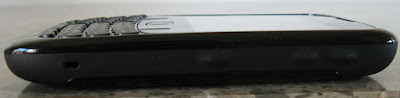
Side

Top
Back
Camera
The camera on the BlackBerry Curve 8530 has fairly good performance for a smartphone camera. It is great for snapping an occasional photo or video, but it probably won’t suffice as your main camera. The Curve 8530 features a 2 megapixel camera with fixed focus, 5x digital zoom, and the ability to record up to QVGA video at 320x240. Unfortunately, the camera on the BlackBerry Curve 8530 lacks a flash. Camera performance in low-light was still okay, but RIM has taken a step back by not adding a flash to the 8530. The camera performance on the 8530 was amazing for a 2 megapixel camera. Image quality was great and images were only a little grainy. Low-light performance was also pretty good, despite the lack of a flash. Videos were also pretty good. The video quality is great if watched on the phone or in windowed mode on a computer, but if you try to play the video full screen on a 15.6 inch screen the quality gets reduced dramatically. Overall, the camera on the Curve 8530 is great, but if you compare it to some if today’s newer smartphones and BlackBerry devices with higher megapixel counts, it starts to look worse. If you only use your BlackBerry Curve 8530’s camera occasionally you’ll be fine. Below you will find photos and a video taken with the Curve 8530’s camera.

Connectivity
The BlackBerry Curve 8530 has pretty much all the types of connectivity you could ask for, including WiFi 802.11g, assisted GPS, 3G connectivity with EV-DO rev.0, Bluetooth 2.1, and a micro USB port for connectivity to your computer. WiFi on the Curve 8530 is certainly a great addition for access to a faster network than 3G or just connectivity where there is no cell phone coverage. The range on the device is great, and the connection stays steady if you don’t go too far away. WiFi 802.11n would have been much better than 802.11g, but for this price point we’ll take what we can get. Assisted GPS was also a great addition to the device. GPS is another feature on the BlackBerry Curve 8530 that the 8520 did not get. We were able to get a GPS fix on the Curve 8530 in just about 5 seconds, which is amazing. That is, of course, with assistance. In case you don’t know what the assistance part of assisted GPS is, it is when the phone requests data from the cellular network to find its general location and information from actual GPS satellites so that the phone can get a faster fix. The GPS on the Curve 8530 was also amazingly accurate, and found our location exactly. 3G connectivity with EV-DO rev.0 is also a welcome addition the BlackBerry Curve 8530, and it is also another way in which the Curve 8530 differs from its GSM partner, the Curve 8520, which does not have 3G. The 3G experience that we got while using the device was pretty good. Most web pages loaded pretty fast and other tasks over 3G such as maps, YouTube, Pandora, and more were also fast. To see what kind of speeds we were actually getting on our Curve 8530, we decided to do a few speed tests. Below you will see images of the three speed tests that we did. The average download speed of all three tests was 583 Kb/s. The average upload speed was 87 Kb/s. This is actually pretty fast, but not faster than your home broadband or some of your faster mobile devices would be. The only drawback of the BlackBerry Curve 8530’s 3G connectivity is that it is only EV-DO rev.0, not rev.A, which is seen on most 3G CDMA devices these days and is a bit faster. Still, the Curve 8530 gets pretty good 3G speeds, especially since those tests were on 2-3 bars of connectivity. Usually we were able to get at least three bars of connectivity, and there were no dead zones on Virgin Mobile USA’s (Sprint’s) network. The Bluetooth on the Curve 8530 is great for sending small files in between your computer and your BlackBerry and for using hands free peripherals, but other than that I can’t really seen a use for Bluetooth in today’s devices. Still, it is great have Bluetooth on your Curve 8530. The micro USB slot on the device is that last connectivity option on the Curve 8530, if you even think of it as a connectivity option. It can be used to communicate with your computer to send files or use BlackBerry’s desktop software. It is also used for charging.

Performance
The BlackBerry Curve 8530 runs on a 512 MHz processor and 256 MB of RAM, which makes the device pretty snappy. Applications opened up very quickly and ran smoothly, even when we had a few applications going at the same time. This is probably thanks to the Curve 8530’s 256 MB of RAM. The browser loaded regular web pages fine and was very responsive. It did start to lag a little and render slowly when faced with large and complicated web pages like Real Gadget Reviews. Overall, the browsing experience on the BlackBerry Curve 8530 was great, pages loaded quickly, scrolling was fast, and scripts ran correctly. Mobile YouTube also ran well, and there was absolutely no lag in videos. They didn’t even need to buffer thanks to the 3G connection. I have to say that the performance on the Curve 8530 was comparable to some of the higher end smart phones that I have used. Overall, BlackBerry has done a great job with the Curve 8530’s performance, as there was almost never lag and the phone never crashed or was unresponsive.
Call Quality
Call quality on the BlackBerry Curve 8530 was average. We could easily hear the person on the other side and there was no static or other noise. Voice quality was good no matter how many bars we had. Overall, the call quality on the Curve 8530 was good, but not something amazing.
Software
The BlackBerry Curve 8530 runs BlackBerry OS 5.0.0.601 out of the box. This is compatible with most, if not all applications. The Curve 8530 comes pre-loaded with a ton of software including BlackBerry App World, BlackBerry Maps, Windows Live Messenger, Yahoo! Messenger, Google Talk, AIM, ICQ, BlackBerry Messenger, Flickr, Facebook, Myspace, and Twitter. The Curve 8530 also includes all of the usual BlackBerry software like Documents to Go, BrickBreaker, and more. The OS is pretty much the same BlackBerry OS you all know and love, with a few minor changes. It is really easy to set up all of your wireless networks with just the push of a button on the Curve 8530. The push email support on the 8530 is also amazing, as it is on all BlackBerry devices, and messages are received instantly. Some other cool features on the Curve 8530 are that all of your new email notifications, messages, Facebook notifications, and Twitter notifications are all shown on the home screen status bar and most of the other status bars. This makes it easy to see everything that is going on in one glance. BlackBerry Maps is the default navigation software included on the Curve 8530, and it provides most of the features that you might want, but not all. BlackBerry Maps lets you look at maps, find your location, get turn by turn directions, find points-of–interest, and more, but the one thing that it doesn’t provide is voice guided navigation, which most people want on their devices. Other than BlackBerry Maps the Curve 8530 doesn’t come with any other navigation software, unlike its Sprint and Verizon counterparts, which come with Verizon Navigator and Sprint Navigation. There are, of course, third-party applications that will allow you to have voice guided navigation, but the point is that there isn’t one pre-installed. The default browser on the Curve 8530 is the BlackBerry browser, which hasn’t changed at all. It is a pretty good browser, but in case it doesn’t suit you can also download a variety of third-party browsers. Media on the Curve 8530 is also pretty good. You can load all of your pictures, videos, music, and more directly onto the Curve 8530’s memory or you can load them onto a microSD card. I would recommend loading your media onto a microSD card as the Curve 8530 only has about 125 MB of use-accessible memory. Managing your media is also easy. You can sort your music by artist, album, genre, a playlist, or you can just get all your songs on a list. From there you can play your music through the loudspeaker or the 3.5mm headphone jack, and you get all of the usual options to control your media. In addition to all that you also get all your basic phone features. Multitasking on BlackBerry OS is also great, and it is fairly easy to switch through applications. The only feature that we weren’t able to get working on the Curve 8530 was multi-media messaging, which the phone should be capable of. We were unable to both send and receive messages on our Curve 8530, and we are hoping that this will get fixed in the future. The BlackBerry Curve 8530 doesn’t really differ from other BlackBerry’s in terms of software, and you get mostly same BlackBerry experience on the Curve 8530 as you do on most other BlackBerrys.
Battery Life
The BlackBerry Curve 8530 features an 1150 mAh battery which will get you 4.5 hours of talk time and 10.5 days of standby time according to the specifications. Of course, you should never trust the battery life on the specifications. In our testing we were able to get about one to two days out of the phone with heavy web browsing, messaging, email, and calling. If you only use these features moderately you will probably be able to get about two or three days of battery life out of the Curve 8530. The battery life on the 8530 is better than a lot of other phones that we have seen, but it is not the best.
Conclusion
Overall, the BlackBerry Curve 8530 is a great entry-level smartphone for those who want a good smartphone but don’t need a very high-end device. There is probably also an audience of people who would choose the BlackBerry Curve 8530 over higher end devices like the Bold because of its small, light, and has a stylish form factor. In the case of Virgin Mobile USA, who’s version we have, it is pretty much your only smart phone choice, but it’s a good one. The Curve 8530 has great features, average battery life, and the BlackBerry OS. There are also certain aspects in which the Curve 8530 falls short in, like the low resolution camera and the lack of a flash, and the inability to send multi-media messages, but those are all small problems that can be easily overlooked if they aren’t crucial to you. The Curve 8530 isn’t priced too high and has great features, so I would say that if you like the features and don’t really need a lot of power, you should go for it. We wanted to thank Virgin Mobile USA for providing us with the BlackBerry Curve 8530 to review.


